Animation names
An animation is a named sequence of frames for one action, such as run, duck or jump. The editor calls these animations. App code may call the same concept an animation state.
When groups appear
In a timeline with animation groups, each animation has a header with its name, Play, + Frame and a ☰ menu. A frame used by more than one animation has a shared badge; frames outside all animations appear under Unassigned. Creating an animation switches the timeline to groups, and character sprites use groups whenever they have an animation. In the single-row timeline, with no animation headers, + Frame copies the current frame and each frame has an inline Delete button.
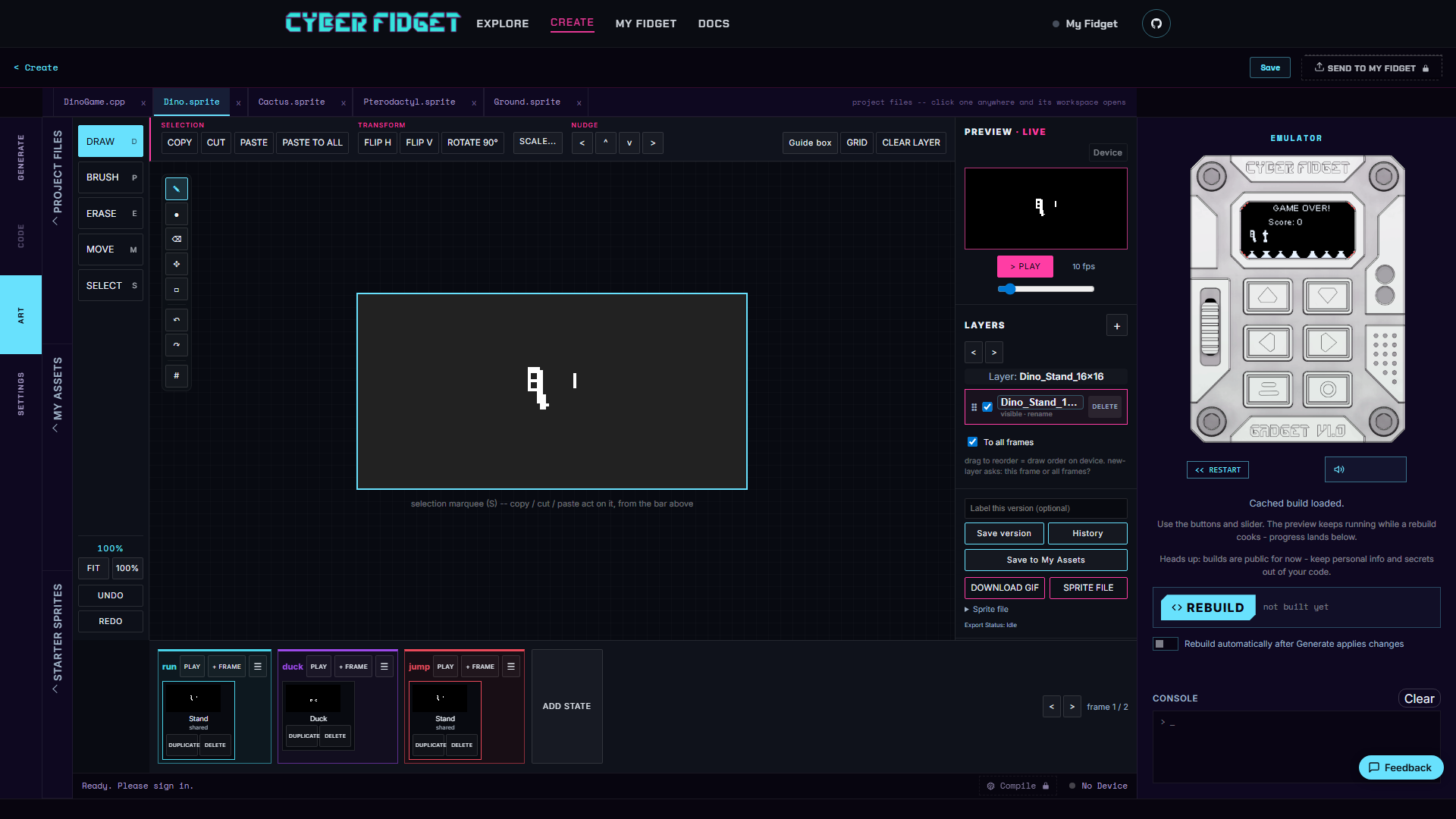
On desktop and laptop, the timeline is beneath the canvas. On a phone it is below Preview, Layers and saving controls.
Work with an animation
Tap or click its Play to loop the group, + Frame to copy that animation's last frame into it, or its ☰ menu (a screen reader announces it as Actions for ...) for Rename and Delete animation. These commands have no dedicated keyboard shortcuts. Alt+Up and Alt+Down step between frames; tapping a thumbnail is the touch equivalent. See Animations and frames for all timeline commands.
Match the app's requested names
Code asks for an animation by name. A warning appears when a requested animation has no frames. Add frames or update the requested name in the code. After renaming an animation, check code that uses its previous name.
Set timing
The default duration is 100 milliseconds (ms) per frame. In an animation with more than one frame, a zero-duration frame would not be visible and causes a warning when you build the app (Studio's step that turns your project, including its art, into a runnable app). The single Speed control changes playback and saved durations; see Preview and Speed.
For recovering edits, see Drawing and version history.