Cyber Fidget Docs
Cyber Fidget is a pocket-sized aluminum gadget with a screen, buttons, lights, a speaker and a slider that you can play with, and program to do new things.
In the clip: a small game made in the browser, running in the emulator (an on-screen copy of the device). The slider moves the paddle; catch the dots.
Where do you want to start?
-
New here? See what it is
What it is, what's inside, and what it can do, in a few minutes.
-
Got a kit? Put it together and turn it on
About 15 minutes with a small screwdriver. Then find your way around the built-in apps, and get more from The Archives.
Assembly guide | Turn it on | Built-in apps | Get apps from The Archives
-
Make your first app
Write code in your browser and watch it run. Nothing to install, no device needed until the last step.
Build your first app | Make a game, step by step | Function reference
-
Make art for apps
Draw sprites (small pictures for characters and objects), animate them, or build 3D models, in the studio on cyberfidget.com.
Studio overview | Animations | 3D models | Import Aseprite art
-
Teaching or building with kids?
The browser path needs no installs and no device, and the tutorials say up front what you will be able to do. A teacher guide is in development, and we are looking for feedback and partners: teachers, schools, clubs and makerspaces who want to try it with learners.
Build your first app | Explore what it can do | Get in touch
-
Help build Cyber Fidget
The firmware and these docs are open source. Fix a page, add an example, or work on the firmware.
Contribute | Open source and licenses | Firmware development
What's on this site
Every tab at the top, in one line each:
- Product: what Cyber Fidget is, battery and charging, accessories, open-source licenses.
- Getting started: assemble it, explore what it can do, build your first app, make a game step by step.
- Make apps: one page per part (screen, buttons, sound, lights, slider, motion, sprites, 3D models), plus the function reference and the emulator.
- Your Fidget: built-in apps, voice notes, phone companion, keeping and sharing your work, updates, linking your Fidget to your account.
- Hardware: specs, part numbers and the pinout (which chip pin does what).
- Studio: the drawing, animation and 3D tools on cyberfidget.com.
- Reference: the glossary of terms and the commands you can send over a USB cable.
- Contributors: how to help, firmware internals, releases.
Hover over an underlined term, such as OLED or LED, to see what it means, or open the Glossary.
Quick links
- Buy / Pre-order: cyberfidget.com/buy
- Main site: cyberfidget.com
- The studio (make apps and art): cyberfidget.com/create/
- Firmware updates: cyberfidget.com/update/
- Contact: cyberfidget.com/contact
At a glance
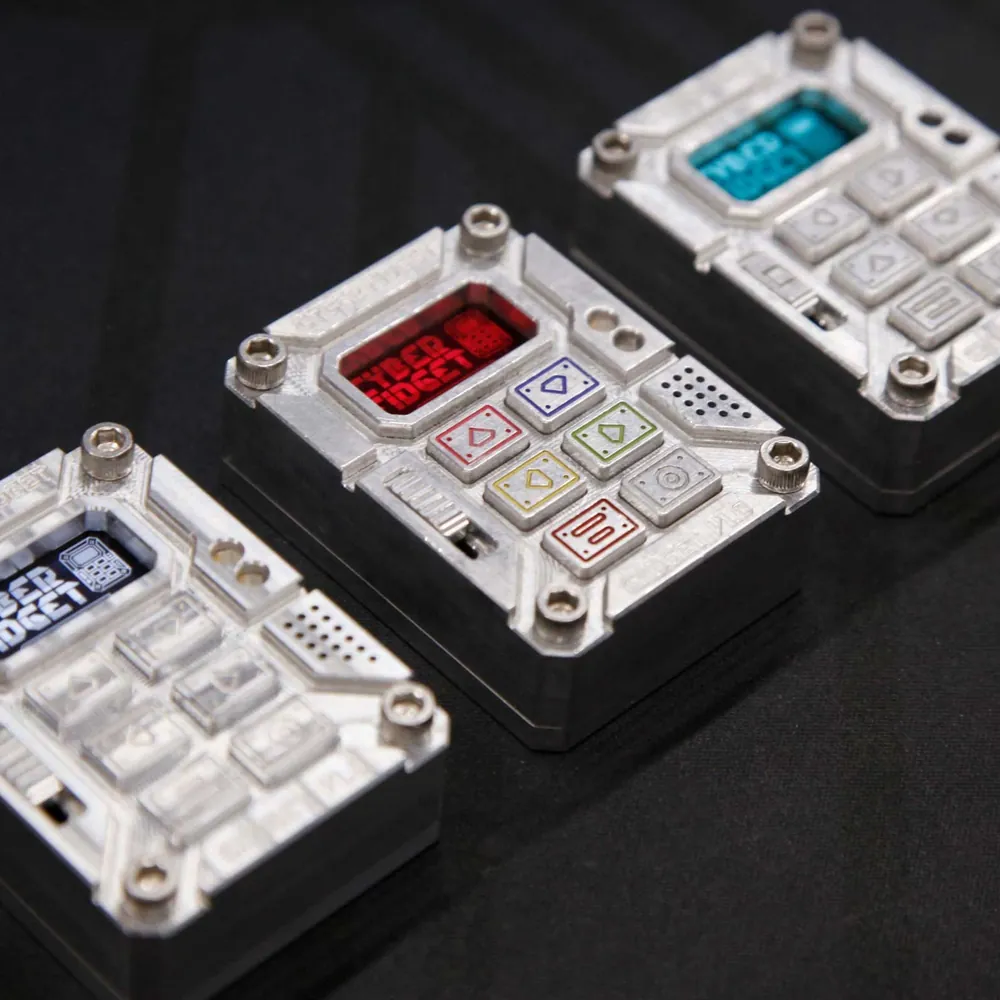
Ships as a kit: no soldering, just screws. Designed and machined in Michigan.
About 2.2 x 1.6 x 0.8 inches and 68 g.
- an ESP32 chip with Wi-Fi and Bluetooth
- a 0.96" OLED screen
- 6 buttons and a slider
- 4 RGBW LEDs
- a speaker and a microphone
- a motion sensor
- a microSD card slot
- USB-C
See the Product overview for the full picture, or Hardware specs for part numbers and dimensions.
No device? No problem.
You can run real Cyber Fidget apps in your browser. Write or generate an app in the studio, press REBUILD & RUN in the welcome panel (or REBUILD in the emulator panel), and it runs in an on-screen emulator with the same buttons, slider, screen and lights. See the Browser Emulator guide.
Want to work on the firmware itself?
Most people never need this. The Arduino route installs firmware from your own toolchain, and the firmware on GitHub has the full source, the app functions and the emulator.