Get apps from The Archives
After this page you can find an app in The Archives, try it in your browser, and put it on your Cyber Fidget. You can also send a friend a link to one item.
What The Archives is
The Archives at cyberfidget.com/explore is the shared collection of apps, screensavers, sprite packs and 3D models for the Cyber Fidget. Some come from Cyber Fidget; others are made by people who use one, in the same Studio you can use.
| Built-in apps | Apps from The Archives | |
|---|---|---|
| Where they come from | Part of the firmware (the device's built-in software) | Made in the Studio and submitted by their maker |
| How you get them | Already on your Fidget | Choose Send to my Fidget on the item |
The built-in apps are listed on Built-in apps.
Every app a maker submits is reviewed by Cyber Fidget before it is listed. A review can't promise an app is free of mistakes, so only send apps you trust to your Fidget.
Looking for art to use in your own project? The website's Art library collects sprites, 3D models and animations people shared.
Find something
You don't need an account to browse, try, or report a problem.
- Kind tabs: All, Apps, Screensavers, Sprite packs, Models.
- Category buttons under the tabs narrow it further, for example Games or Tools.
- Search looks through names, descriptions and tags.
- Sort: Featured, Newest, Top rated, Most downloaded or Name (A-Z).
- The heart on a card keeps it in your favorites.
![The Archives: the kind tabs, the search box, the sort menu, the [ >_ terminal ] button, the category buttons and a row of cards, each with SEND TO MY FIDGET and TRY IT HERE or PREVIEW](../../assets/media/archives-browse.png)
Each card shows the item's picture, its name, its maker and its rating (no ratings yet until someone rates it). Open a card to see the item's page: its description (long ones fold behind Show more), Screenshots, and How to play when the maker wrote one.
What you can do with an item
The buttons on an item depend on what it is and on what its maker chose to share. A button that doesn't apply isn't shown.
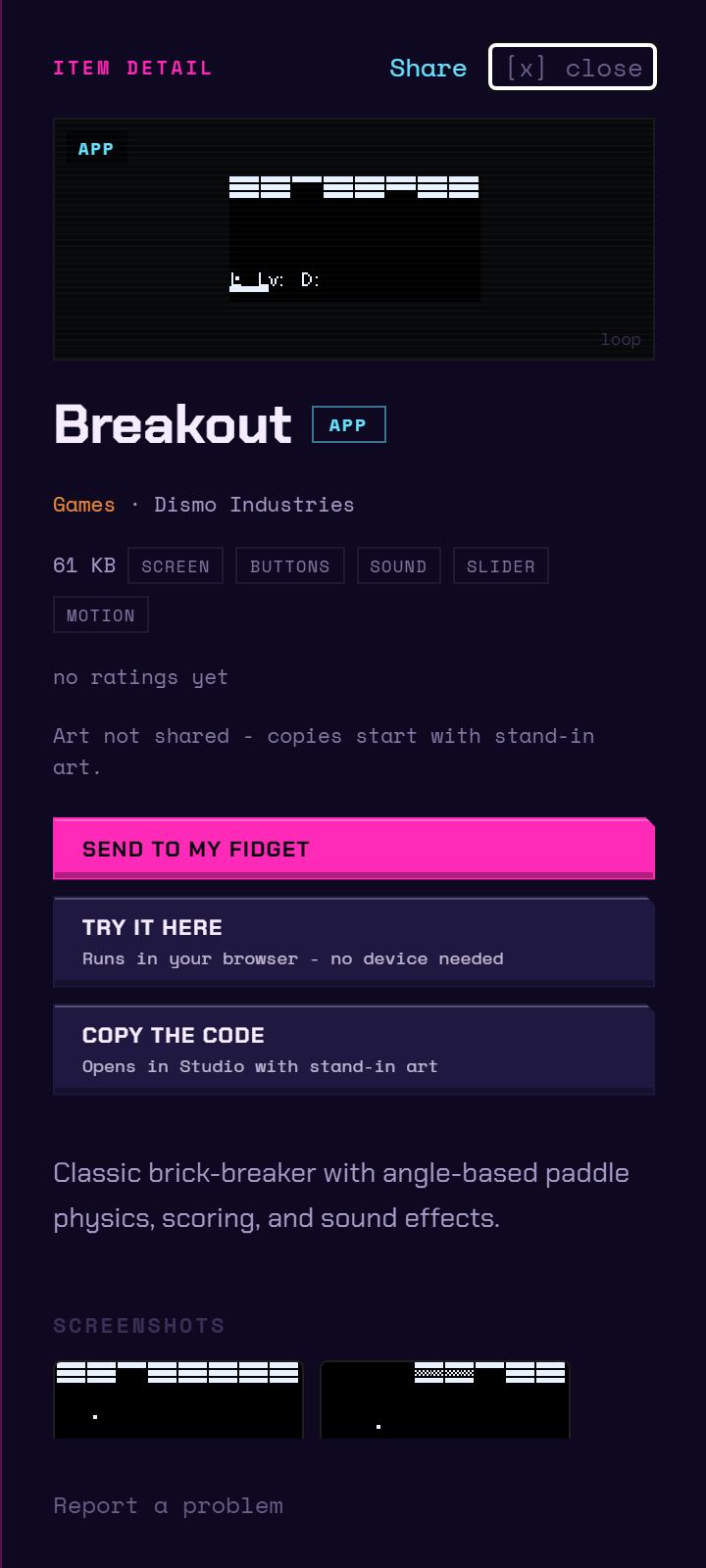
| Button | What it does |
|---|---|
| Send to my Fidget | Adds it to your Fidget's list of changes. See Put it on your Fidget. |
| Try it here | Runs the app in an emulator on the page (a copy of the device that runs in your browser). No device needed. Screensavers, sprite packs and models show Preview instead. |
| Remix this app | Opens your own copy, code and art, as a new Studio project. |
| Copy the code | Opens a copy of the code in the Studio, with stand-in art. Shown when the maker shared the code but not the art. |
| Remix the art / Remix the model | Opens the sprites or the model in the Studio as your own copy. |
| Save the art to My Assets | Keeps the shared art in your library for your own projects. Needs sign-in. |
| Start an app with this art | Opens the shared art in a new Studio project. |
| Take it to GitHub | Opens the item's repository on GitHub. Shown for apps and screensavers (not sprite packs or models) when the code is shared, you are signed in, and the item has a repository. It does not make a copy. |
When a maker kept something private, the page says so: Code not shared - this app runs as the author built it, or Art not shared - copies start with stand-in art. You can still try the app and send it to your Fidget.
Copies follow the maker's license: shared code under the MIT License, shared art under CC BY-SA 4.0. Credit the maker when you share something made from their art.
Try it in your browser
Choose Try it here. The app starts in the emulator on the item's page. On a computer, use the keys or click the buttons, and drag the slider; on a phone, tap the buttons. Choose stop to end it.
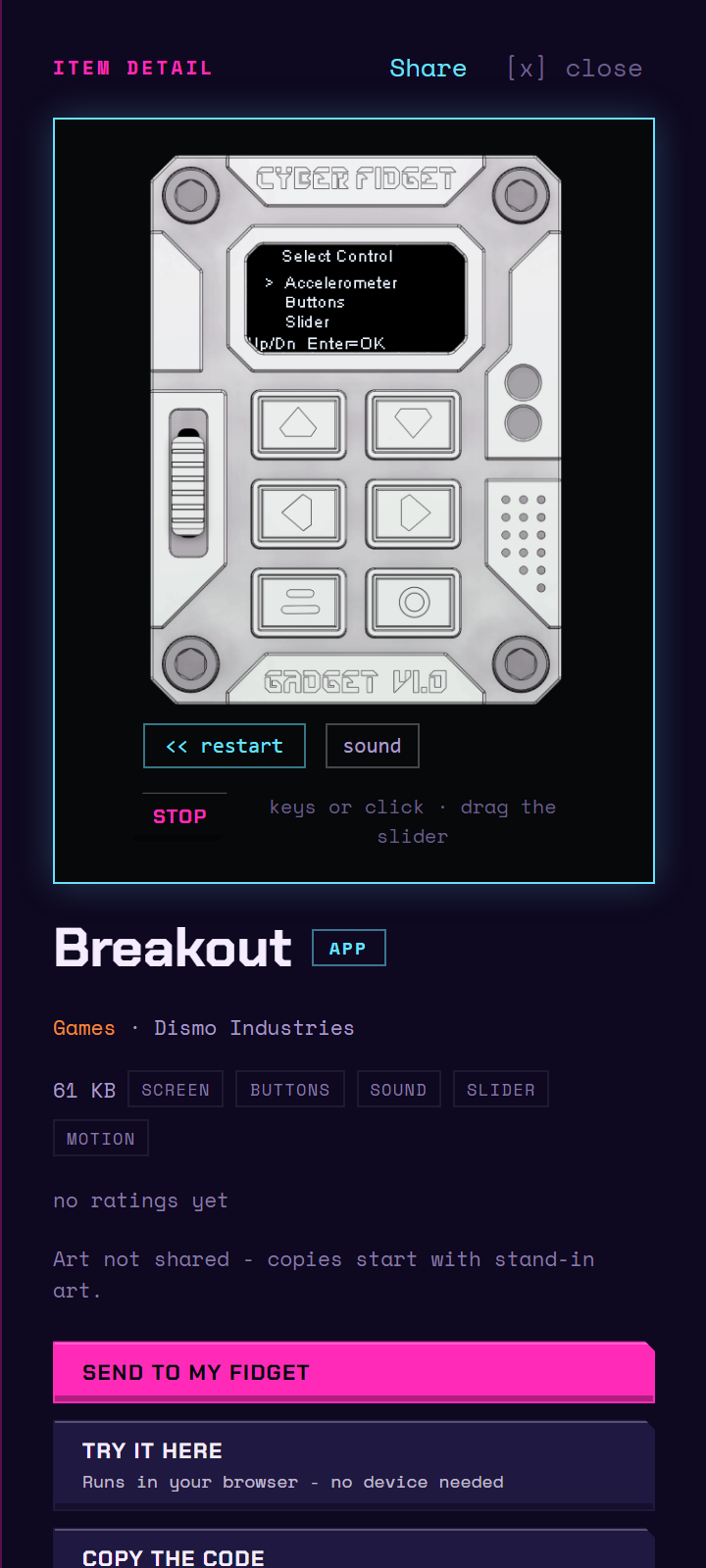
If it doesn't start, the page says Couldn't start this one in the browser. Try again in a moment, or in another browser.
Put it on your Fidget
-
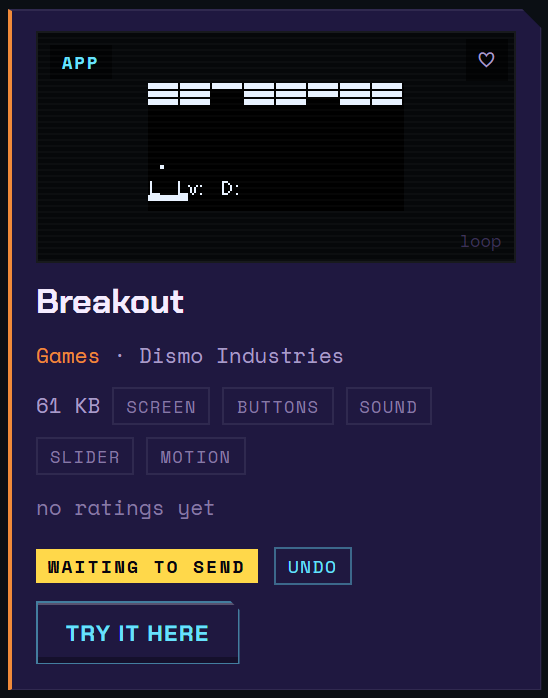
Choose Send to my Fidget on the card or the item's page. The card then shows waiting to send, with undo if you change your mind. This step only queues it; the next step delivers it.
-
Deliver it, the same way as an app you made yourself:
- Over the cable: open My Fidget, plug the Fidget in, and press Send to my Fidget. The first time, follow the setup in Build your first app, step 7. No account is needed.
- Over WiFi: a linked Fidget collects waiting changes at its next check-in. See Updates.
- Once it is on the device, the card shows on your Fidget. Open the app from the Fidget's menu.
To see and manage what is waiting for each Fidget, use Your Fidgets.
An app you installed keeps working
If an item later leaves The Archives, the copy on your Fidget keeps working exactly as before. Nothing on the website reaches onto your device to remove or change what is installed there.
Report a problem
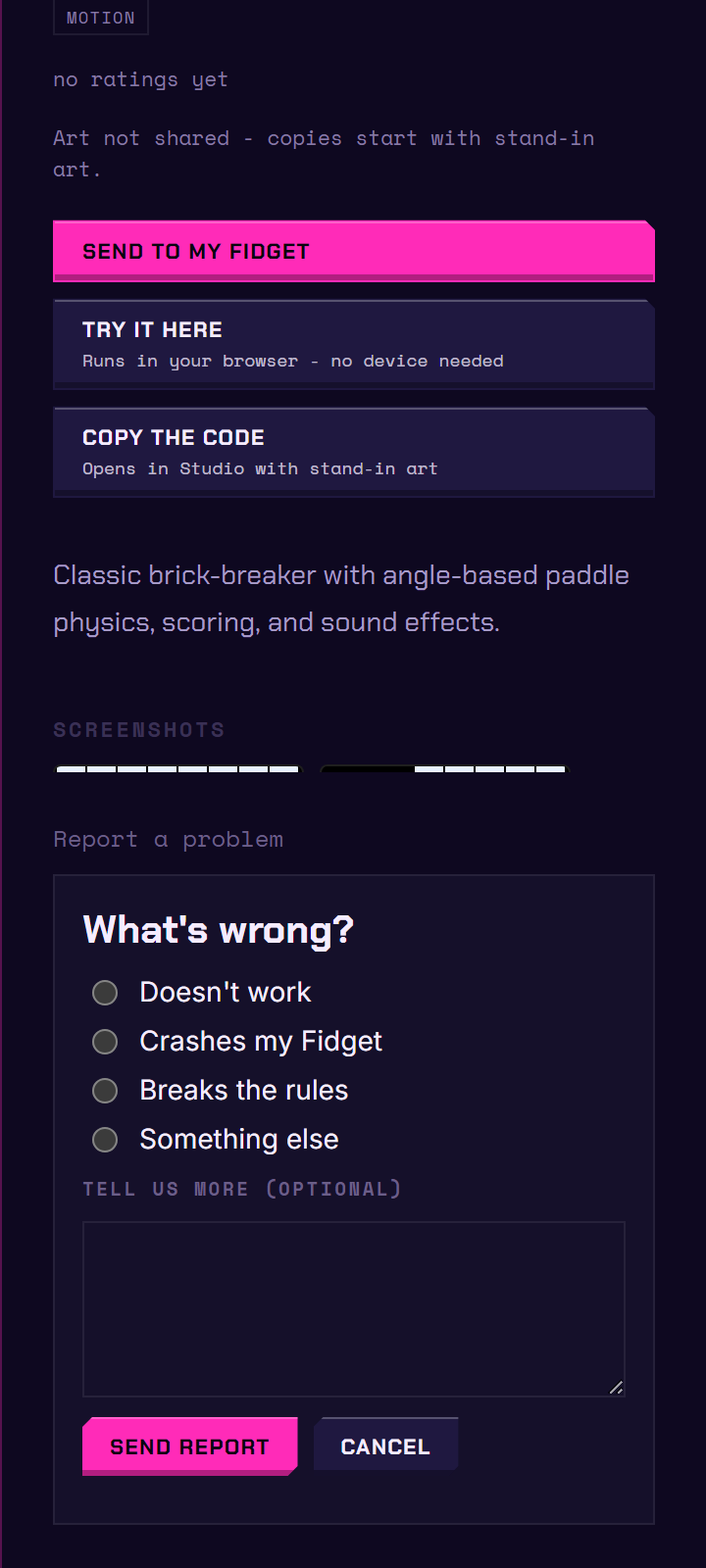
Choose Report a problem on the item's page, pick Doesn't work, Crashes my Fidget, Breaks the rules or Something else, add a note if you like, and choose Send report. You don't need to sign in. The Community Guidelines say what breaks the rules.
Send someone a link to one item
Every item has its own web address. Open an app, screensaver, sprite pack or model and its address appears in your browser's address bar, in this form:
https://cyberfidget.com/explore/?item=<item-id>
The <item-id> part is the collection's own short name for that item. It is often based on the item's title, but the collection assigns it, so copy it rather than guessing it. Anyone who opens that address lands on that item, not on the front of the collection.
The Share button
Share sits in the item's page header, next to the close control. What it does depends on the browser:
| If your browser offers | What Share does |
|---|---|
| Its own sharing (usual on phones and tablets) | Opens your device's share sheet, so you can pass the link to any app you already use. |
| No sharing of its own (usual on desktop) | Copies the link and confirms with a brief message: Copied a share link. |
If you open the share sheet and then close it without choosing anything, nothing happens. That is not an error.
The shared link is built from the item itself, not from whatever is in your address bar, so the person you send it to gets the item and nothing else.
Pasting the link into a chat or a post shows a preview with the item's name and description. An item with its own picture shows it; one without falls back to the general Cyber Fidget picture.
Back and Forward
Opening an item adds a step to your browser history: Back closes the item and returns you to the collection, and Forward reopens it. Closing an item with the close control also returns you to the collection. It doesn't take you off the site, even when you arrived from someone else's link.
Links to items that are not there
If you follow a link to an item that is not in the collection, the page says:
This one isn't in the collection. It may have been taken down by its author, or the address may be wrong. If you already installed it, it keeps working on your Fidget.
Back to the collection takes you to browsing.
Command mode
The Archives also has a text-command mode, where you type commands instead of clicking cards. Choose [ >_ terminal ] next to the search box to switch to it. Sharing works there too:
try <name>opens the item's player.gui info <name>opens the item's page.
Both open the item the same way clicking does, so the address bar updates and the link is ready to share.
Type help to see every command:
![Command mode after typing help: the command reference, grouped into browse, your fidget and terminal, with [ visual ] above it to go back to the cards](../../assets/media/archives-terminal.png)
Share your own app
Made something others would enjoy? See Submit your app to The Archives. To show a friend without a review, send a share link instead.